A timeline for every object
Keyframe position, scale, rotation, colour, text, masks and more. Shape the easing. Loop a movement. Wait for a click.
 MoSlide
Create slides with text, images, video and live content. Present on your Mac or iPad, with an iPhone as your remote.
Go beyond presets with custom animations. Keyframe each object, draw motion paths and build reusable scenes, all inside your presentation.
Three animation examples. Play a slide using the thumbnails.
Made for Mac & iPad.
View, present and control from iPhone.
Start with an editable deck, bring your own content and make the timing yours.
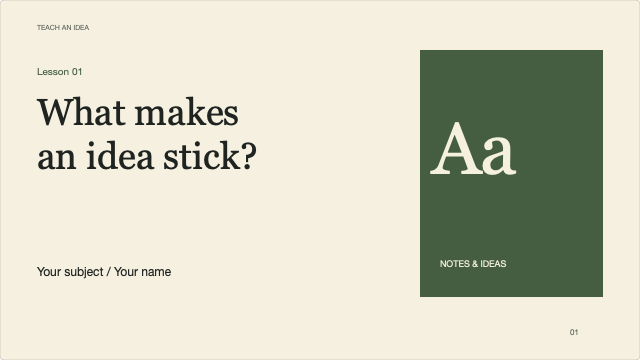
Learning goals, discussion and a recap.
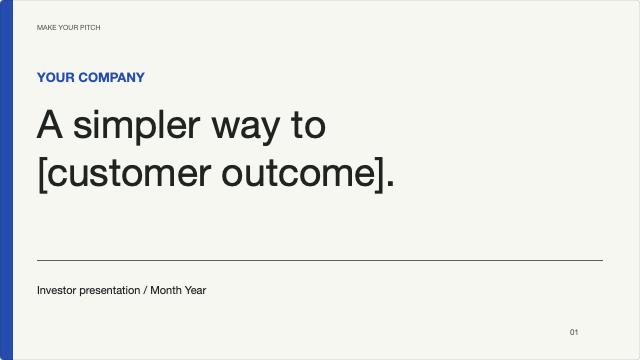
A problem, a solution and a clear ask.

The welcome, the running order, the countdown.
A title can arrive gently. A path can draw itself. A whole scene can build on a click. Give each object its own timeline, then make the parts work together.
Interactive website examples of MoSlide’s animation tools.
Keyframe position, scale, rotation, colour, text, masks and more. Shape the easing. Loop a movement. Wait for a click.
Seven ways in: fades, shared entrances, click-by-click points, word reveals, charts, emphasis or a clean slate. Keep the timing editable.
Shape Bézier paths, combine vector shapes, place text on a curve and animate the points. Bring SVG artwork in and out.
Build a comp once. Put it on a slide, behind the whole scene, or between two slides as a transition. VideoComps give you three tracks to trim, stack and time the parts.
Webpages, cameras, video, sound. Add the things that make a presentation feel present. Then invite the audience in.
Click an answer to try it. These are sample results.
Keep a webpage live or cache it before the venue. Sequence a video playlist, add a camera or 3D object, and let a visualiser respond to music.
Share a local QR code for polls, quizzes, Q&A, word clouds, image hotspots, budget activities and VibeBoss. Phones become part of the show.
Use your iPhone or iPad as a remote. Draw on a live slide, jump to a scene, use Remote Mic and keep background music flowing across slides. On Mac, record the presentation.
Start with an editable lesson, pitch, event or portfolio template. Explore the animated example, or take the optional three-step guide from editing to presenting.
Templates & guidanceNew recovery versions preserve your deck, referenced media and embedded fonts together. Restore an earlier version with a check of its resources and an undoable change.
Recovery & resourcesImport PowerPoint and older MoSlide files as an independent copy. Save as .moslidedoc. Export PDF, video, images, SVG or PPTX, with the limits of each format.
Import & exportKeep speaker notes and review comments close. Presentation Check and the Interaction Map help find missing assets, permissions and broken routes before you present.
Review & readinessLet your assistant help turn an idea into a presentation you can actually edit. MoSlide’s local MCP connection gives an assistant tools to create slides, refine motion, preview the result and export the deck.
“Create a pitch deck with a bold opening and a simple animated chart.”
Illustrative examples. These buttons do not send an AI request.
Mac, iPad and iPhoneCreate and edit on Apple silicon Mac with macOS 14+, or iPad with iPadOS 17+. On iPhone with iOS 17+, MoSlide: Viewer & Remote lets you view, present and control a deck.
Say hello ↗